


June 24, 2026
A cloud HRIS Philippines solution is a cloud-based Human Resource Information System that helps Philippine companies manage employee records, timekeeping, leave, payroll preparation, compliance workflows, and HR reporting through a secure online platform.
Unlike traditional HR systems installed on company servers, a cloud-based HRIS runs through cloud technology. Your HR staff, managers, and employees can access approved HR data from web browsers or mobile devices, depending on their roles and permissions.
This guide explains the benefits, features, and what to look for in a provider when evaluating cloud HR software for Philippine businesses. It is written for HR professionals, business owners, finance leads, and IT decision makers who want to modernize HR operations without creating more complexity.
Businesses still comparing HR software options can start with Quadrant Alpha’s HRIS Philippines guide to understand features, pricing, compliance, and implementation considerations before shortlisting vendors.
What Is Cloud-Based HRIS?
A cloud based HRIS is HRIS software hosted online instead of being installed and maintained on local company hardware. The vendor manages the infrastructure, security updates, software patches, and availability of the system, while your HR department uses the platform to manage day-to-day HR processes.
In the Philippine context, cloud based HR solutions are often used to support HR and payroll, employee management, timekeeping, attendance, leave management, 201 files, payroll data preparation, and reporting. The best systems help companies reduce manual data entry and replace spreadsheet-heavy workflows with automated workflows.
Cloud based HR software is especially useful for companies with hybrid teams, branch operations, field employees, or growing headcount. Because users can log in remotely, cloud based HR enables HR teams and employees to complete approved tasks without being physically present at the office.
Cloud HRIS vs. On-Premise HR Systems
The biggest difference between cloud based HR systems and on-premise HR systems is deployment. On-premise software is installed on company-owned servers and usually requires internal IT teams to manage hosting, backups, updates, and maintenance.
Cloud HR software is subscription-based and accessed online. This makes it easier to scale storage, user seats, workflows, and key features as the organization grows.
For many Philippine companies, cloud HRIS is more practical because it reduces IT maintenance burdens. Instead of purchasing and maintaining servers, the company pays for the HR system as a recurring service.
Common Subscription and Deployment Models
Most HRIS systems use monthly or annual pricing. Some charge per employee, some charge by module, and others use package-based pricing for core HR, timekeeping, payroll management, employee self service, and performance management.
When comparing pricing, do not look only at the monthly subscription. Calculate implementation fees, migration support, training, integrations, customization, support tiers, and future add-ons.
A flexible HR system should allow your company to start with the most urgent HR functions and add more features later without disrupting existing HR operations.
Core HR and Employee Data Essentials
A strong cloud HRIS should begin with core HR. These core HR functions include employee profiles, organizational structure, job information, reporting lines, compensation details, leave balances, attendance data, employment status, and document storage.
When managing employee data, your system should capture essential employee information such as full name, birth date, contact details, government ID numbers, employment start date, job title, department, location, compensation structure, tax status, SSS number, PhilHealth number, Pag-IBIG number, emergency contact, and personal details required for lawful HR administration.
Because this information may include sensitive employee information, your HR system must support secure data management, access logs, approval trails, and role-based permissions.
Employee Records, Retention, and Audit Readiness
Philippine employers should maintain accurate employee records for compliance and audit purposes. Your cloud HRIS should help organize contracts, 201 files, attendance records, payroll summaries, leave approvals, disciplinary records, training records, performance reviews, and offboarding documents.
For labor inspection readiness, review employment recordkeeping expectations under DOLE Department Order No. 238, Series of 2023, which discusses employer obligations to keep employment records and provide access when required.
Your provider should also help you configure audit trails so HR personnel can see who created, edited, approved, or exported HR data. This is important for accountability, dispute resolution, and internal controls.
Migration: Employee Data and Core HR
Data migration is one of the most important parts of HRIS implementation. Poor migration can create payroll errors, incorrect leave balances, duplicate records, and employee frustration.
Start by mapping source fields from spreadsheets, timekeeping systems, payroll systems, and accounting systems into the new HRIS. For example, “employee number” in your spreadsheet should match the employee ID field in the system, while payroll data should align with compensation and statutory deduction fields.
Before going live, validate data accuracy. Check employee names, IDs, salary details, tax status, SSS PhilHealth Pag IBIG numbers, leave credits, supervisor assignments, and department codes.
When to Schedule Data Migration
Schedule migration during low-activity periods whenever possible. Avoid peak payroll processing dates, year-end tax annualization, major company events, or periods when HR teams spend significant time on recruitment and onboarding.
A good provider should help you build a migration calendar. This should include data cleanup, test import, validation, user acceptance testing, final import, and post-launch review.
The goal is not just to move employee data. The goal is to move clean, structured, usable HR data into a system that supports the entire employee lifecycle.
Benefits of Cloud-Based HR Systems in the Philippines
Cloud HRIS improves overall efficiency for HR operations by replacing repetitive HR tasks with standardized workflows. Automating HR tasks can reduce administrative workload by up to 70% in mature automation environments, especially when leave approvals, attendance validation, document requests, onboarding, and reporting are digitized.
Cloud-based HRIS can also reduce administrative costs by around 30% when companies reduce paper-based work, duplicate encoding, correction cycles, and manual coordination. These cost savings depend on your current process maturity, employee count, modules adopted, and quality of implementation.
More importantly, cloud HRIS helps HR professionals shift time away from time consuming administrative tasks and toward strategic initiatives such as workforce planning, employee development, retention, and employee engagement.
Scalability for Growing Companies
Scalability is a key feature of cloud HRIS systems. A scalable HRIS can accommodate growing employee numbers, new branches, multiple geographic locations, and more complex approval workflows.
As your business growth accelerates, your HRIS should support additional employees, departments, managers, work schedules, leave policies, and reporting requirements. Cloud HRIS systems can also adjust storage and processing power dynamically, depending on provider infrastructure.
This matters for growing Philippine companies because HR processes that work for 30 employees often break down at 100, 300, or 1,000 employees.
Compliance with Philippine Payroll and Labor Requirements
Cloud-based HRIS systems should help ensure compliance with local labor laws, payroll rules, statutory contributions, and documentation requirements. At minimum, your system should support payroll calculations, leave policies, attendance rules, overtime approvals, holiday rules, payroll software integrations, and reporting needed for compliance. For a more detailed compliance-focused checklist, read our guide on HR compliance software Philippines.
For Philippine payroll compliance, your HRIS should help automate SSS, PhilHealth, and Pag-IBIG contributions based on current tables and company policy. HR and finance teams should regularly verify contribution settings against official references such as the Social Security System contribution table, PhilHealth, and Pag-IBIG Fund.
Your HRIS should also support payroll processing and withholding workflows aligned with official tools and guidance from the Bureau of Internal Revenue.
Mobile Access for Hybrid and Remote Work
Cloud-based HRIS allows remote access for hybrid workplaces. This is valuable when employees work from home, report to multiple sites, travel between branches, or operate in field-based roles.
With mobile and multi-device accessibility, employees can file leave, check payslips, update personal details, view announcements, and submit requests anytime, subject to company rules.
Managers can also approve leave, review attendance, validate overtime, and monitor HR metrics without waiting for printed forms or email threads.
Reduced IT Maintenance Burden
Cloud based HR solutions reduce the need for internal teams to maintain servers, install updates, and manage infrastructure. This is especially helpful for small and mid-sized businesses without large IT departments.
Your IT team should still review vendor security, access controls, backup processes, integration methods, and support commitments. However, the vendor should carry much of the operational burden for uptime, patches, hosting, and technical maintenance.
Data Security and Compliance
Data security should be a primary evaluation factor because HRIS systems store sensitive employee information. A provider should use encryption in transit and at rest, strong authentication, secure backups, user permissions, and monitoring.
In the Philippines, HRIS implementation should also support compliance with the Data Privacy Act. The National Privacy Commission’s Data Privacy Act page explains the legal framework protecting personal information in government and private-sector information systems.
Ask whether the provider offers local data residency options or can clearly explain where HR data is hosted. Some companies may require Philippine-based hosting, while others may accept regional cloud infrastructure if security and contractual controls are strong.
Advanced Security Measures to Verify
Look for advanced security measures such as role-based access control, multi-factor authentication, password policies, audit logs, encryption, backup testing, vulnerability management, and administrator approval controls.
You should also ask for ISO or SOC certifications where applicable. These certifications do not automatically guarantee perfect security, but they show that the vendor has gone through recognized control assessments.
The most important question is practical: can your HR department control who sees payroll data, disciplinary records, performance notes, and personal details?
Employee Self Service and Employee Experience
Employee self service gives employees controlled access to their own HR information. A strong employee self service portal can improve employee satisfaction because employees no longer need to ask HR for every payslip, leave balance, COE request, or personal information update.
Employee self-service portals increase transparency and engagement. They also reduce administrative burdens on employees and HR staff because routine inquiries become self-service workflows.
For Philippine companies, employee self service is especially useful for leave requests, payslip access, attendance viewing, overtime requests, COE requests, and updates to personal details.
What to Test in the Employee Self Service Portal
During demos, test the employee self service portal from the employee’s point of view. Can a regular employee understand the dashboard without training? Can they file leave from mobile? Can they see request status? Can they access HR information anytime?
You should also test manager workflows. A manager should be able to approve or reject requests, see team schedules, review attendance exceptions, and check relevant employee records without needing full HR administrator access.
A good self-service experience improves employee experience and supports employee productivity because people spend less time waiting for basic HR answers.
Employee Engagement, Performance, and Productivity
Modern HRIS systems support more than payroll and records. Many include employee engagement tools, survey forms, recognition workflows, employee performance tracking, and performance management modules.
For performance management, look for goal setting, review cycles, manager feedback, continuous feedback, appraisal forms, competency tracking, and development notes. These tools help connect employee development with measurable business outcomes.
Productivity tracking should be handled carefully. Focus on attendance trends, completion of HR workflows, performance goals, and team capacity rather than intrusive monitoring.
Applicant Tracking and the Entire Employee Lifecycle
A more complete human resource management system supports the entire employee lifecycle, from applicant tracking and hiring to onboarding, attendance, payroll preparation, performance management, training, employee relations, and offboarding.
This matters because disconnected HR software creates fragmented data. If recruitment, onboarding, payroll, attendance, and performance sit in separate tools, HR staff often spend time reconciling records manually.
An omni HR-style centralized experience helps HR personnel see employee information across different stages without jumping between spreadsheets and disconnected platforms.
Cost Savings and ROI
To calculate cost savings, begin with your current administrative workload. Estimate how many hours HR teams spend on manual data entry, payroll checking, attendance validation, leave tracking, document requests, report preparation, and correction of payroll errors.
Then assign an estimated labor cost to those hours. Add paper, printing, storage, courier, compliance, rework, and delayed approval costs.
Compare that baseline against the subscription cost, implementation fee, training effort, and expected savings from automation. For many organizations, HRIS ROI becomes visible when automation reduces repetitive work, improves payroll accuracy, and gives managers real-time access to employee data.
Subscription Pricing vs. Per-Employee Pricing
Some providers price by employee count. Others price by modules, user roles, implementation scope, or company size. The lowest monthly fee is not always the best value. For a more complete cost breakdown, compare subscription models, implementation fees, add-ons, and support costs in our HRIS pricing Philippines guide.
Ask whether pricing includes support, updates, reporting, data migration, integrations, training, and administrator access. Also ask what happens when your headcount grows.
Your ROI timeline should include HR, finance, IT, managers, and employees. HR may benefit from fewer manual tasks, finance may benefit from cleaner payroll data, IT may benefit from reduced maintenance, and employees may benefit from faster service.
What to Look for in a Provider: Checklist
When evaluating what to look for in a provider, use a checklist that covers functionality, compliance, usability, security, implementation, support, and long-term fit.
First, require clear pricing and contract transparency. Ask for all subscription, implementation, integration, migration, customization, support, and renewal costs.
Second, demand proven Philippine payroll compliance. The provider should understand payroll management, statutory contributions, payroll systems, payroll software, leave rules, overtime, holidays, and local labor laws.
Third, check integrations with payroll solutions, attendance devices, accounting systems, and existing business tools. Choose HRIS that integrates with existing payroll and attendance systems where needed.
Fourth, request service level agreements for uptime, backups, response times, escalation procedures, and reliable customer support.
Fifth, verify implementation timelines, training resources, admin guides, end-user materials, and post-launch support.
Vendor Comparison Matrix
Use a simple scoring matrix to compare the best HRIS systems for your needs. Score each provider from 1 to 5, with 5 as the strongest fit.
| Evaluation Area | Provider A | Provider B | Provider C | Notes |
|---|---|---|---|---|
| Philippine payroll compliance | SSS, PhilHealth, Pag-IBIG, BIR readiness | |||
| Core HR features | Employee records, 201 files, org structure | |||
| Employee self service | Leave, payslips, COE, mobile access | |||
| Data security | Encryption, access control, audit logs | |||
| Implementation quality | Migration, configuration, testing | |||
| Integration capability | Payroll, accounting, attendance systems | |||
| Reporting and HR metrics | Custom reports and dashboards | |||
| Support responsiveness | SLA, channels, escalation | |||
| Philippine client experience | Case studies and references | |||
| Scalability | Headcount, branches, workflows |
Ask for case studies from Philippine clients when available. Also request references and contact them directly if the purchase is significant.
Implementation, Support, and Training
A successful HRIS rollout needs more than software. It needs project ownership, communication, training, testing, and measurement.
Assign an internal project owner from HR, plus representatives from payroll, finance, IT, and operations. This group should approve policies, review configurations, validate reports, and decide launch timing.
Plan a phased rollout by module. Many companies begin with core HR and employee records, then move to attendance, leave management, payroll preparation, employee self service, and performance management.
Training for Administrators and End Users
Administrator training should cover system configuration, access permissions, reporting, approval workflows, payroll data handling, audit logs, and troubleshooting.
End-user training should be simpler. Employees need to know how to log in, update allowed information, file leave, check payslips, and submit requests.
Managers need training on approvals, attendance exceptions, team dashboards, and performance workflows.
Success Metrics to Track
Define success metrics before launch. Useful metrics include payroll error reduction, leave approval turnaround time, employee self-service adoption, HR ticket volume, report generation time, and employee satisfaction.
You can also track employee productivity improvements by measuring how much time employees and managers save on routine HR requests.
Real-time data access empowers employees and managers to make informed decisions, but only if the system is adopted and used consistently.
Deployment Checklist
Use this deployment checklist before going live:
| Phase | Checklist Item | Owner |
|---|---|---|
| Data preparation | Clean employee data, remove duplicates, standardize fields | HR |
| Compliance setup | Configure SSS, PhilHealth, Pag-IBIG, tax, leave, holiday rules | HR/Payroll |
| Core HR setup | Build departments, positions, reporting lines, employee statuses | HR |
| Access control | Set role-based permissions for HR, managers, employees | HR/IT |
| Workflow setup | Configure leave, overtime, COE, onboarding, offboarding approvals | HR |
| Testing | Run pilot group scenarios and payroll preparation checks | HR/Payroll |
| Training | Train admins, managers, and employees | HR/Provider |
| Feedback | Collect pilot feedback and adjust configuration | Project Team |
| Go-live | Launch in phases with support coverage | Project Team |
| Review | Measure adoption, errors, and processing time | HR Leadership |
Pilot testing is important. Run a small user group first, collect feedback, and adjust configuration before full deployment.
FAQs to Address During Evaluation
How are payroll law changes updated?
Ask whether the provider automatically updates local labor law changes, statutory contribution tables, payroll calculations, and reports. Automated HRIS updates can reduce compliance risk, but HR and finance should still review updates before payroll processing.
How does the system handle backup and disaster recovery?
Ask how often backups run, where backups are stored, how restoration works, and how quickly data can be recovered after an outage. Centralized storage should offer secure and encrypted access with audit logs.
What happens during offboarding and data deletion?
The provider should explain offboarding workflows, account deactivation, final pay support, record retention, and data deletion procedures. This is important for employee records, privacy compliance, and future audit needs.
Can the system support regional or global payroll later?
If your company may expand outside the Philippines, select HRIS that supports multi-country payroll or can integrate with global payroll partners. Even if you start locally, scalability should support future expansion.
Where Quadrant Alpha Fits
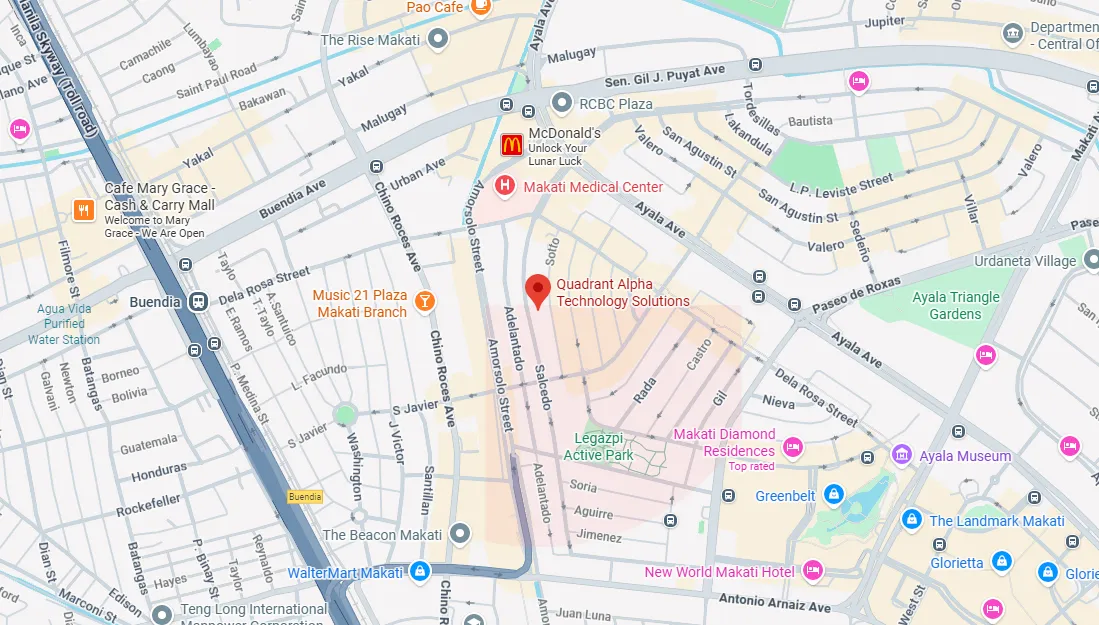
Quadrant Alpha is a Philippine software provider that builds tailored solutions for business operations, automation, real-time insights, and growth. For HR teams, QWORK HRIS is positioned as a cloud-based HRIS platform for hiring, employee self-service, workforce management, payroll preparation, attendance, leave, overtime, COE requests, trainings, and employee records.
For companies ready to centralize employee records, attendance, leave requests, payroll preparation, and HR workflows, QWORK HRIS gives Philippine teams a cloud-based platform built for daily HR operations.
Because QWORK is designed around local HR needs, it is especially relevant for organizations looking for HRIS software Philippines buyers can evaluate around compliance, usability, payroll preparation, employee experience, and business growth.
Conclusion and Next Steps
Cloud HRIS can help Philippine companies modernize HR operations, streamline HR processes, improve payroll accuracy, strengthen compliance, and support employees across different locations.
Start by shortlisting 3 to 5 vendors for demos. Use the comparison matrix above to evaluate data security, core HR, payroll management, employee self service, integration, support, implementation quality, and Philippine payroll compliance.
Then run a side-by-side pilot to measure employee productivity, HR processing time, payroll preparation accuracy, and employee satisfaction.
When you are ready to move from spreadsheets to a more structured, flexible HR system, book a personalized demo with Quadrant Alpha and explore how QWORK HRIS can help your team experience the benefits of local, cloud-based HRIS solutions built for Philippine HR operations and business growth.