



Choosing between custom and ready-made software for your business
The spreadsheet that ran your first twenty employees starts to strain at fifty. Orders get keyed in twice, stock counts disagree between branches, and payroll depends on one person who knows which tab to trust. At that point, someone asks whether to buy a ready-made system or have one built.
That is a business decision before it is a technical one. It affects how much cash you commit, how quickly your team can work differently, and how much control you keep over the way your company operates. Philippine MSMEs are adopting digital tools, though use of more advanced software remains limited, so many owners are making this choice for the first time and without a clear way to compare the options.
Off-the-shelf software is a finished product built for a broad market. You can configure it, but the vendor decides its core features and direction. Custom software is built around your organisation’s own processes. Each has a place, and this guide treats both fairly. In some cases buying is plainly the better call, and we say so.
The framework that follows uses four factors:
- Cost: what you pay at the start, and what you keep paying.
- Scalability: whether the software copes as you add users, branches and products.
- Integration: how well it connects with the tools you already run.
- Long-term ROI: what it returns over three to five years, beyond the price tag.

How custom, off-the-shelf and hybrid software differ
The two options differ in who owns the design, how the software reaches you, and who it suits. The table sets them side by side, with the hybrid middle ground in the last column.
|
Off-the-shelf |
Custom |
Hybrid |
|
|---|---|---|---|
|
Who designs it |
The vendor, for a broad market |
A developer, around your processes |
Packaged core with tailored additions |
|
How it is delivered |
Sign up or install, then set up |
Requirements, build, testing, launch |
Install the package, then build only the gaps |
|
Best suited to |
Standard processes such as payroll or basic POS |
Workflows that set your business apart |
Mostly standard needs with a few exceptions |
|
Your control |
Settings and options the vendor allows |
Features, data and roadmap |
Full control over the added parts only |
Philippine examples show how the packaged side looks in practice. Sprout Solutions covers employee records, payroll calculations and statutory contributions, and its enterprise offering highlights API integrations. PayrollHero handles payroll, tax compliance, government forms and time and attendance. On the retail side, Humedit describes easyPOS as BIR-accredited with X and Z readings, and StoreHub describes a similar BIR-accredited POS. Accreditation can depend on the specific edition and deployment, so check it against BIR records before you buy.
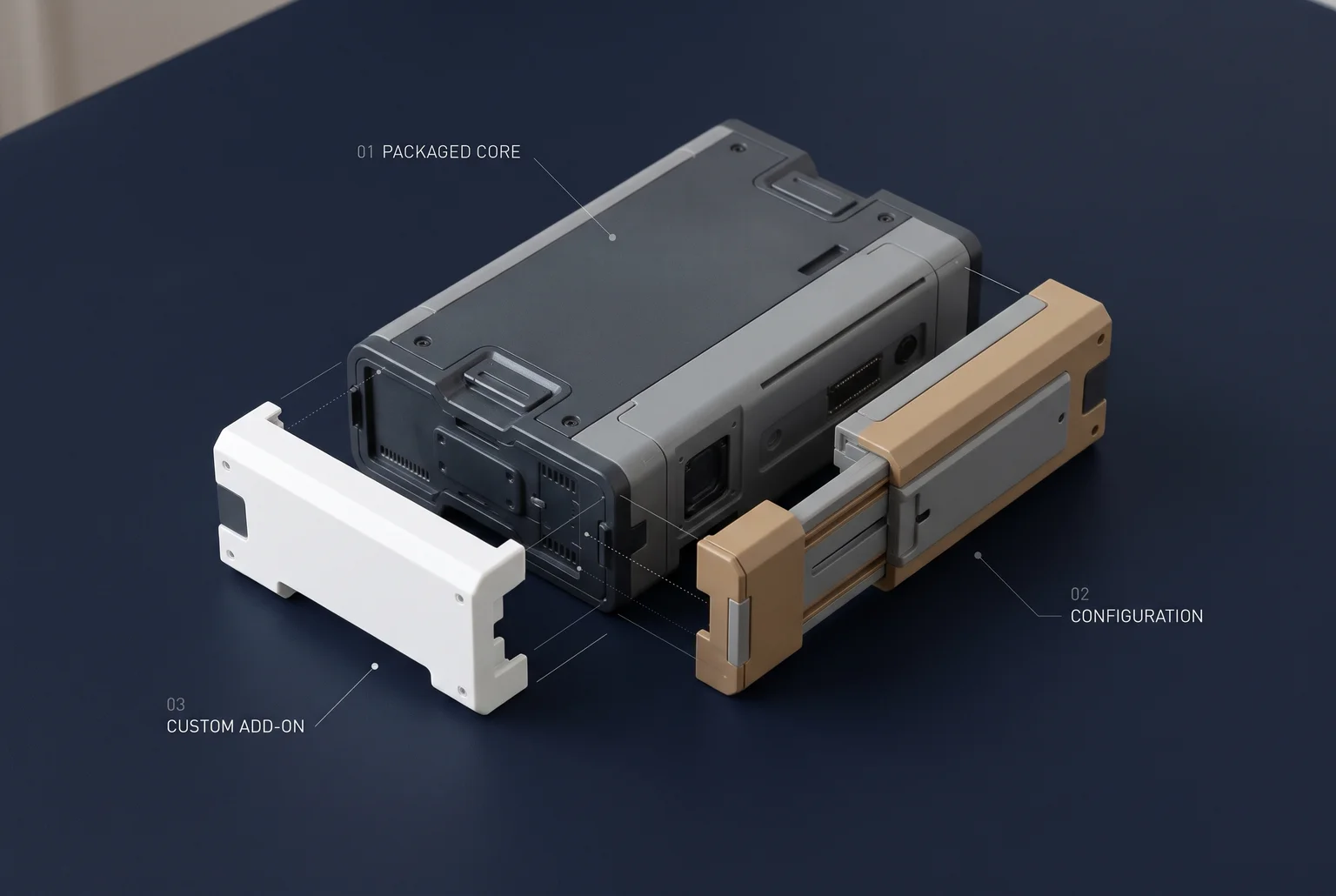
The hybrid route has two common forms. The first is configurable software, where you change approval rules, user roles, forms and workflows through settings, without touching the vendor’s source code. The second is low-code platforms, which let teams build applications with visual tools and still add traditional code for specialised needs. Gartner describes composable applications as modular systems assembled from reusable components, APIs and packaged capabilities.
Microsoft’s guidance suggests a hybrid fits when standard software meets most requirements but specific workflows, integrations or customer experiences need tailored development. A common split is custom work for the functions that set you apart, and packaged software for standard needs such as HR or accounting.
Vendors position their products differently, and a product page rarely says how much of a system is configured and how much is built. Ask each vendor what is standard, what is configurable and what needs development, as that answer decides which column you are actually buying from.
What each option costs over five years, not just on day one
A custom build usually looks more expensive on the quote, and it is. You pay for design, development and testing before anyone uses the system, and delivery carries real risk. The Standish Group’s 2020 CHAOS figures, as reported by BudgetOverrun, put 31% of software projects as successful, 50% as challenged and 19% as failed. Successful means on time, on budget, with the agreed features and satisfied users. Challenged means finished but late, over budget or with reduced scope. Failed means cancelled, never used or written off. Those categories have shifted over time and the 2020 numbers circulate mostly through secondary sources, so treat them as a rough signal. A 2011 to 2015 breakdown found 61% success for small projects against 6% for “grand” ones, which is a reason to scope a first build tightly.
Packaged software has its own costs that the price page does not show. Implementation, data migration, training, integration work, recurring fees or hosting, internal staff time, upgrades and eventually exit costs all belong in the comparison. Per-user subscriptions grow with headcount, and paid add-ons or higher tiers may be needed once your processes stop fitting the base plan.
Custom software has the same categories, plus maintenance you either pay a developer for or staff yourself. Industry estimates put annual maintenance at 15 to 25% of the original build cost, and software maintenance is estimated to be 60 to 80% of lifecycle cost. Gartner research is reported to attribute about 20% of total cost of ownership to acquisition and 80% to operations, administration and change. The purchase price is the smaller part of either option.

Illustrative only: a three-year comparison
These round numbers are hypothetical. Say a packaged tool costs 100 a month per site in year one, and a custom build costs 1,200 upfront plus 15% yearly maintenance.
|
Year 1 |
Year 2 |
Year 3 |
Total |
|
|---|---|---|---|---|
|
Packaged (subscription and add-ons rising as you grow) |
1,200 |
1,800 |
2,400 |
5,400 |
|
Custom (build, then 15% maintenance) |
1,200 |
180 |
180 |
1,560 |
The custom build is not cheaper in this example because it is custom. The packaged line grows with sites and users, while the custom line is front-loaded. Reverse the assumptions, with a small team and a flat plan, and buying wins. The numbers show why the year-one comparison misleads, not which option is cheaper for you.
How to compare quotes
Compare over at least five years, as the BridgeView guidance recommends, rather than setting a custom quote against a first-year licence. Ask every vendor and developer for an itemised quote that separates licences or build fees, customisation, data migration, training, integration, support and maintenance, and upgrade charges. Ask what happens to your data and code if you leave. A quote that lumps these into one figure cannot be compared with one that lists them.
How packaged and custom software handle growth
Packaged software scales by plan. WORKSPHR’s published tiers show the pattern: Starter is ₱79 per user a month for up to 25 employees, Growth is ₱149 for up to 100, and Pro is ₱219 for up to 500, with billing for at least 10 active employees. A company that moves from 90 to 110 staff does not just add 20 seats. It crosses into a tier where every user costs more. Beyond the top tier, larger headcounts may require enterprise or vendor-specific pricing. Growth can also be limited by plan caps and by the vendor’s product roadmap, which you can ask for but do not control.
Custom software can be designed around your own users, branches, transaction volumes and workflows. That flexibility has conditions. Scaling still depends on planning and funding the architecture, hosting, performance monitoring, security and integrations. Maintenance also becomes yours, commonly 15 to 25% of the original development cost a year.
Our client story describes an unnamed market leader in cooling solutions whose service processes were captured in our Service Management System, with all modules and menus now in use. The client reports shorter processing time and better traceability. The story gives no figures on users, branches or transaction volume, so it shows fit to a workflow rather than proven scale.
Growth signals to watch
- You are opening new branches that need their own stock, pricing or approval rules.
- You are adding product lines your current tool cannot model without workarounds.
- Transaction volumes are slowing the system or pushing you into a higher tier.
- Staff keep a spreadsheet beside the software to cover what it cannot do.
Many SMEs will not outgrow a packaged tool for years. If your process is standard and headcount is steady, a tier ceiling may never matter. Before you sign with either route, check the user and transaction caps, data export, API access, price-increase terms and, for a custom build, who owns the code.
How well the software connects to payroll, accounting and government filings
Software that does not talk to your other tools gets its data re-typed by staff. An API is a set of rules that lets one program send data to another without anyone copying it by hand. For a Philippine employer, the test is whether HR records, timekeeping, payroll, inventory, sales and accounting stay in step, and whether the output fits government filing deadlines.
Those deadlines are frequent. PhilHealth employers remit premiums by the 10th of the following month, file the RF-1 report by the 15th, and report separations within 30 days. SSS payroll must track employee deductions, employer and Employees’ Compensation contributions, and payments made with a Payment Reference Number. On the BIR side, 1601-C covers monthly withholding, and Form 2316 goes to employees by January 31 with the alphalist data supporting the annual return. A payroll tool that produces these from the same employee records saves a monthly reconciliation.

Packaged tools usually offer ready-made connections to common accounting products, which is the fastest route when your stack is standard. Their limits are set by the vendor. QuickBooks Online allows 500 requests per minute per company and 10 per second, and Xero caps calls at 60 per minute and generally 5,000 per day per organisation. A busy retailer syncing every sale may need batching and retry logic to stay under them.
Custom software can be built to your exact data flows, including your own approval steps and statutory export formats. Integration is not automatically easier, though. You or your developer then maintain the connections, the compliance logic and error handling, and must update them when a government format changes.
Ask each vendor which systems they connect to today, what the API limits are, who fixes a broken connection, and who updates the statutory outputs when SSS, PhilHealth or BIR rules change.
How to estimate three-to-five-year return on business software
Price comparisons stop at the invoice. Return is what the software saves or earns minus everything it costs over three to five years, and four inputs cover most of it: staff time saved, errors avoided, sales no longer lost, and the cost of changing course later.
An illustrative formula, with your own figures in place of any benchmark:
ROI (%) = (time saved + error costs avoided + lost sales recovered − total cost) ÷ total cost × 100
Total cost includes licences or build fees, integration, training, data migration, support and upgrades. Add a switching-cost line: rebuilding APIs, reports, automations and third-party integrations if you leave a vendor, plus migration labour, downtime and a contingency reserve. A cheap packaged tool can carry a higher exit bill when your data sits in proprietary formats.
External benchmarks show the scale vendors claim. A 2024 Forrester study commissioned by Microsoft reported 248% three-year ROI for a composite Power Automate organisation, and one commissioned by ServiceNow reported 259% for a representative organisation. Both were vendor-funded and modelled on composite companies, so treat them as ranges to test, not forecasts for a Philippine SME.
What our clients report
Our success stories share individual client experiences. These results are specific to each implementation and should not be treated as forecasts for your business.
According to our published client story, a “premier Philippine manufacturer” using our QWORK HRIS reported:
30% faster HR processing
Results vary by business. Establish your own baseline first by recording what your HR cycle currently costs in hours, then apply a conservative fraction.
Our published story for a “major Philippine logistics provider” using our Inventory, Purchasing and Sales System carries the headline:
98% inventory accuracy
The client’s words: “Quadrant Alpha’s client support has been satisfactory as our concerns are being answered. Users are in the process of familiarization, especially in Inventory, but so far the Sales process has also been satisfactory.” The 98% figure is the headline of our published client story. Results vary, so measure your own inventory accuracy before and after any rollout.
A leather repair specialist describes a result without a number:
Faster turnaround time
“Quadrant Alpha helped in automating our manual process which led to faster turnaround time for operations and upgrading our customer’s experience. The system they developed for us was easy to use by our staff as well which makes our expansion easier.”
For your own estimate, count current hours on the process, error rework, and sales missed from stockouts or slow response. Price each, then run the formula for three and five years.
Situations where buying packaged software is the smarter move
If your needs match what mature vendors already sell, building adds cost and risk without adding an advantage.
Buy when most of these conditions hold:
- The process is standard. Basic accounting, payroll, HR, CRM, email and collaboration are functions SMEs should generally buy rather than build, unless the business has unusual requirements. A suite such as Google Workspace already bundles email, calendar, meetings, chat, storage and document collaboration.
- The function does not set you apart. If customers would never notice how you run it, a vendor with thousands of users has likely solved it better than a one-off build.
- You need it running in weeks. Packaged tools for standard workflows can go live far sooner than custom projects, whose timelines depend on scope, approval speed, data migration, testing and integration complexity. Those timelines are vendor estimates, not audited averages.
- The budget is tight. A subscription spreads cost over months and avoids a large upfront commitment.
- Delivery risk worries you. Widely cited Standish figures put challenged projects at 52.7%, averaging 189% of the original cost estimate. The Standish CHAOS Report 2024 rates 31% of projects successful, 50% challenged and 19% failed. Definitions differ between studies, so read these as a warning about scope creep, not a precise forecast. Buying a proven product shifts much of that risk to the vendor.
Cloud accounting is a good example. A small trading business gains little by commissioning its own bookkeeping system.
Custom development becomes easier to justify only when a function creates competitive advantage, follows an unusual operating model, or needs deep integration with proprietary systems.
A scoring checklist for choosing custom, packaged or hybrid
Score each criterion from 1 (a packaged product fits) to 5 (only a custom build fits). Add the four scores. This is a rule of thumb, not a guarantee: a total of 16 or more suggests a custom build deserves a serious quote, 8 or less suggests buying, and anything between points to a hybrid.
Cost. Compare three-to-five-year total cost, including licences per user, migration, integration and maintenance. Score high only if subscriptions at your headcount would exceed a realistic build and support budget.
Scalability. Check whether tier limits, per-user pricing or the vendor roadmap will block your growth in branches, products or transactions. Score high if they will.
Integration. Count the tools you re-key data between. Several disconnected systems, or a need to connect to proprietary ones, scores high.
ROI. Estimate hours saved, errors avoided and sales recovered. Score high when the gain depends on a workflow no vendor supports.
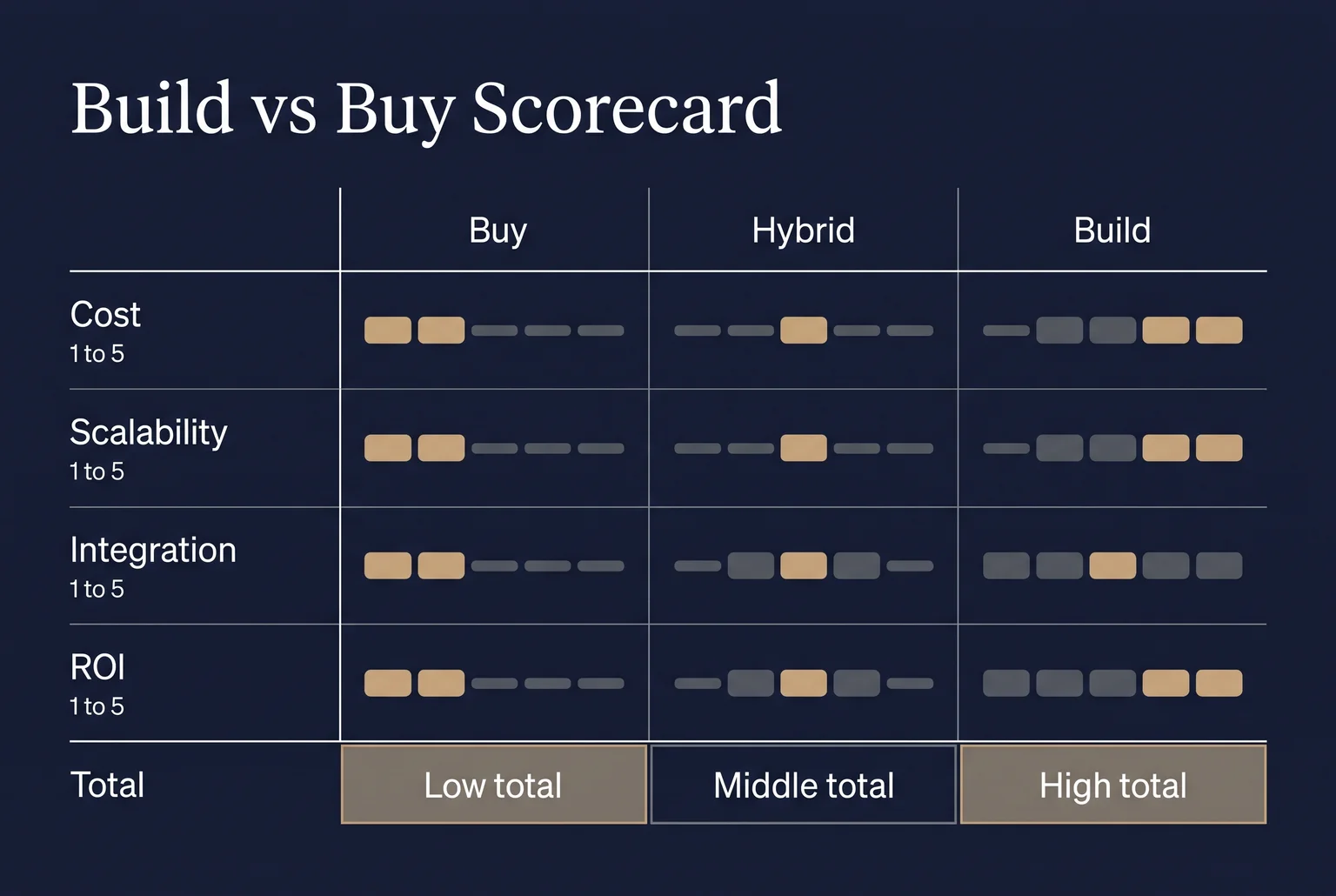
Four signals push the total up. Your workflows are unusual. The function sets you apart from competitors. You run multiple disconnected tools. Compliance rules shape how the system must behave. Net Solutions makes the same point: custom development is strongest when unmet requirements affect differentiation, integration, compliance or economics, while buying is often cheaper and faster when a mature product fits. Thoughtworks recommends mapping business needs and involving cross-functional stakeholders before scoring anything.
Many owners land in the middle. Buy the standard core, such as accounting, and build only the piece that differs.
Questions to ask any vendor or developer
- Who owns the source code and intellectual property, and can we access the repository and transfer it?
- What are the response targets, coverage hours, severity levels and exclusions in the SLA?
- Who handles maintenance, monitoring and incident response after launch?
- How do you handle access controls and security testing?
- What help do we get if we leave?
- Will you study our operations before recommending a solution?
At Quadrant Alpha, we serve retail, manufacturing, logistics and trading, food and beverage, and government clients and welcome these questions.
Talk through your requirements with Quadrant Alpha
Four checks decide most build-versus-buy questions: what the software costs over three to five years, whether it can grow with you, how well it connects to your other tools, and what return you can measure. Buy where a packaged product fits. Consider a custom build where it does not.
At Quadrant Alpha, we offer both ready-to-use and customised systems, and our process runs from contract signing through training, go-live and a post-implementation review. Bring your scorecard and your list of vendor questions to a conversation about your requirements.
Discuss your requirements and explore Custom Software Development with Quadrant Alpha.